Hyvä vs Luma comparison
10 minutes
Magento 2 remains the go-to e-commerce platform for medium and large online retailers, as well as complex B2B projects. This comes as no surprise: the system offers complete customization of design, logic, and integrations, effortlessly handles massive product catalogs and high traffic, and adapts to the most unique workflows. While merchants previously hesitated due to an overloaded frontend that dragged down page loading speeds, a rule-changing solution has emerged: the innovative Hyvä theme, designed to replace the default Luma setup.
And yes: Hyvä is noticeably faster, lighter, and far easier to optimize than Luma. However, migrating to it still requires a dedicated development effort. So, is it truly worth the switch? The answer depends on your store's immediate and long-term goals. In this guide, we break down Hyvä vs. Luma cost and performance, compare frontend architectures and compatibility, and estimate the true migration ROI—giving you real figures to make a confident, informed decision.
Building custom Magento 2 solutions since 2014, we at Laconica have completed over 100 B2B and B2C projects worldwide. As an official Hyvä Silver Partner, we regularly perform Hyvä migrations and Core Web Vitals optimizations, continually expanding our expertise. So rest assured: the insights below are grounded in real-world engineering data and extensive hands-on experience with modern Magento storefronts.
The good news is that migrating to Hyvä affects only the front end (i.e., the interface), leaving the Magento 2 back end unchanged. There's no need to rebuild the entire catalog and business logic or reintegrate ERP, CRM, and PIM, which means less development effort. And this ultimately leads to budget savings.
And that’s just the first point in the Hyvä vs Luma cost comparison. There is more to come!
The other major consideration is the budget for Magento 2 Hyvä migration. In 2026, a typical project ranges from $3,000 to $45,000+, depending on design complexity, custom features, and your module stack.
* Note: Don't take these performance metrics as guaranteed results—they're just common market benchmarks. The actual performance of your Hyvä-enhanced online store depends on many factors, including hosting, caching, images, third-party scripts, Magento configuration, extensions, and even the quality of implementation.
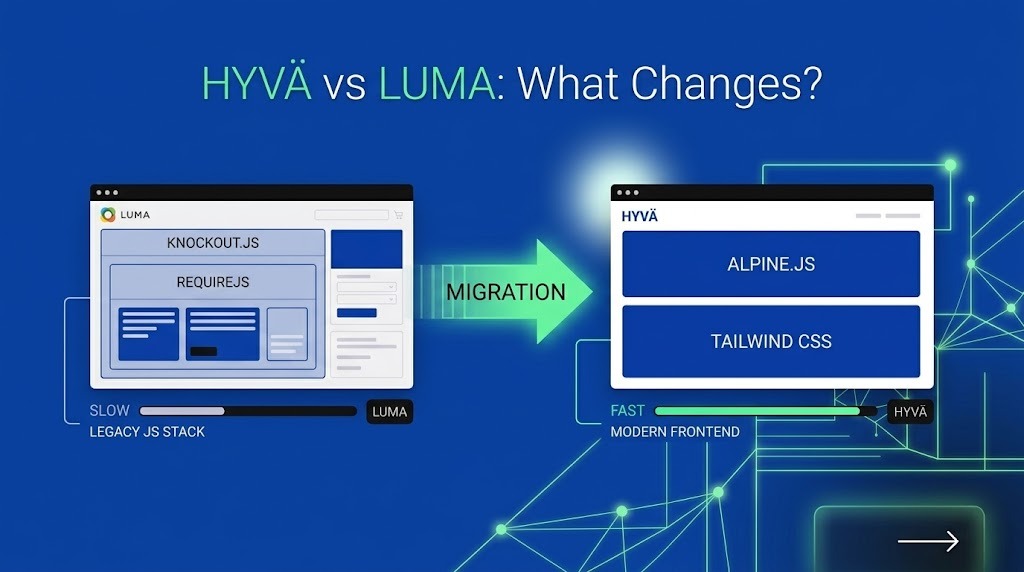
The main difference between Hyvä and Luma is the frontend tech stack. Where Luma forces web and mobile browsers to download and process hundreds of heavy scripts before showing any content, Hyvä uses lean HTML that loads almost instantly.
Luma's story began over a decade ago, when desktop traffic dominated, and mobile performance standards were lax. It was in this environment that Magento created its default theme.
Under the hood, Luma relies on a web of slow client-side tools: while powerful, they create a complex frontend with many interconnected dependencies:
This doesn’t make every Luma store slow. A well-optimized Luma implementation can still perform well. The issue is that developers have to manage a much heavier frontend foundation, which increases their workload and strains your wallet.
Hyvä eliminates this legacy JavaScript stack entirely without touching your existing data or business logic. Instead, it relies on two lightweight tools:
The end result is this:
Simpler Magento templates + Fewer frontend dependencies + Smaller amounts of JavaScript + More isolated frontend components = Higher page loading speed
Hyvä’s official documentation specifically highlights its reduced JavaScript and CSS footprint compared with Luma, as well as its approach to avoiding unnecessary render-blocking resources.
* Note: The exact speed-loading difference—Hyvä vs. Luma performance comparison—still depends on the specific store.
Although we cannot provide exact performance figures, we’d like to offer some basic benchmarks in the next section.
Replacing Luma with Hyvä completely rewrites the browser's algorithm for processing storefront data. This translates into a nearly 10x reduction in JavaScript execution time, bringing your performance metrics into Google's green zone.
Google PageSpeed Insights evaluates overall page health, serving as a direct indicator of user experience and search ranking potential.
While these metrics reflect real production benchmarks, actual speed always depends on implementation—a Hyvä site burdened with heavy tracking scripts can easily stall, whereas a well-tuned Luma setup might hold its own. That is why at Laconica, Hyvä performance optimization always begins with a deep analysis of your store's architecture, third-party scripts, and active extensions to ensure maximum real-world speed.
So, is Hyvä always a 90+ PageSpeed theme? No. But its lighter frontend gives developers a much stronger starting point than Luma.
Largest Contentful Paint (LCP) is the ultimate test for storefront speed. It tracks how fast the main visual element—like a banner or product photo—loads for the user. Simply put, it's the exact moment a shopper realizes the page is ready.
By the way, Google sets the ideal target at 2.5 seconds or less—go over 4 seconds, and your store drops into the "poor" category.
So instead of asking whether the new theme is theoretically faster, you can compare the store's actual LCP before and after the Luma-to-Hyvä migration. But only if you're working with an experienced dev team that can help you set everything up correctly.
Since Hyvä uses significantly less JavaScript than Luma, your system has to do less work before a customer can actually interact with the page.
For merchants, that difference is especially relevant on mobile devices, which process and compile JavaScript 2-5 times more slowly than average laptops or PCs. Furthermore, smartphones often operate over mobile networks with variable speeds and high latency.
Core Web Vitals is a key set of Google metrics that measure the actual user experience and influence the website's search ranking. Thanks to Hyvä, achieving good results is much easier, although the new framework itself doesn't guarantee high scores. However, it does provide developers with a simpler foundation for future improvements, and the desired goal becomes much closer.
LCP is about loading. INP is about responsiveness. CLS is about visual stability. Together, they give a much better picture of the real user experience than PageSpeed alone.
Interested in Hyva theme development? Don't delay: contact our experts now.
For Laconica's Magento specialists, these metrics make a Luma-to-Hyvä migration measurable. We can establish a performance baseline before the migration, implement the new frontend, and then compare the same pages under the same conditions.
Now it's time to address the main issue: Hyvä vs. luma costs, from a long-term perspective.
Choosing Luma may seem like a free choice, but it comes with hidden costs in the form of perpetual developer hours and lost revenue.
So… Is Hyvä worth migrating from Luma?
When clients ask our team this question, we analyze both options to determine which is more strategic.
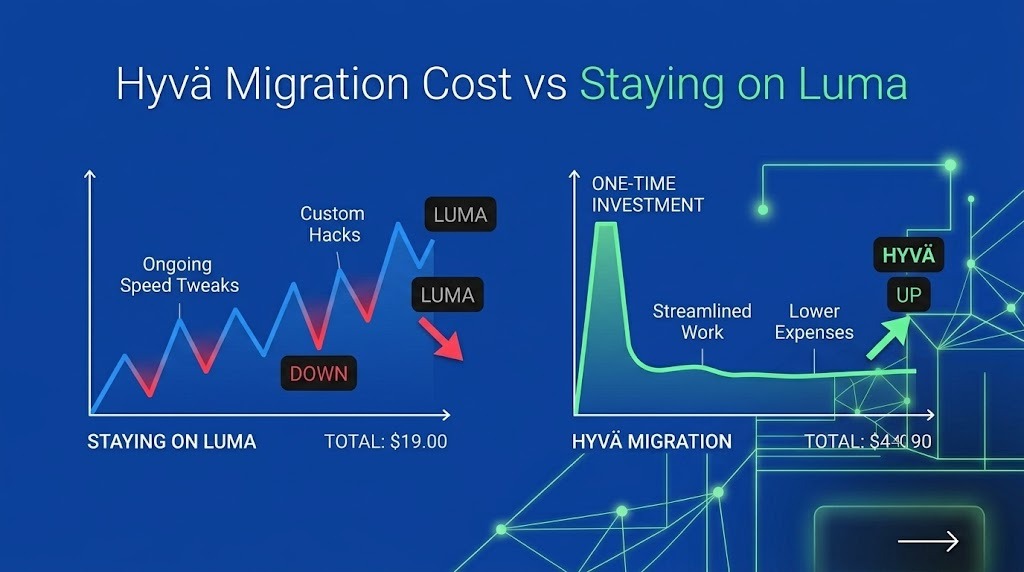
Staying on Luma avoids a migration bill today, but that doesn’t mean there are zero frontend costs. A store with performance issues or heavy customization may continue spending development time on:
For a small, stable online store that already operates well, staying on Luma may still be the more economical choice. But if performance issues arise and interface maintenance becomes a recurring expense, then that's a different matter, and you should take a closer look at the option below.
A Luma-to-Hyvä migration requires some upfront investment but can simplify the frontend afterward.
For big e-commerce players, the annual attempts to patch Luma almost always require a larger budget in the long term. A one-time investment in migrating from Luma to Hyvä is a more cost-effective solution for them.
At Laconica, we usually start by looking at the existing store rather than assuming migration is automatically the answer. Our Magento-certified developers first review the frontend, extensions, customizations, and performance baseline. That makes the Hyvä migration pricing more realistic and helps determine whether replacing Luma is actually worth the investment.
Our clients are usually relieved to learn that migrating to Hyvä isn't a complete platform overhaul. It's a targeted frontend modernization that replaces legacy Luma assets while preserving your data and backend logic.
To give you a practical baseline for a 2026 Hyvä vs Luma comparison, we structure our process around eight clear engineering stages:
Hyvä Checkout is completely optional. For budget-conscious projects, we often recommend sticking with the native checkout during Phase 1 and upgrading it later in Phase 2 to further boost conversions (or staying with the default solution if it still works for you).
Our article at the link covers the cost of replacing Luma with the Hyvä Theme for Magento 2. Read it to learn all the details.
Separating these decisions gives you full control over your roadmap and keeps the Hyvä vs Luma cost comparison precise without forcing a double-frontend scope up front.
In 2026, staying on Luma exposes your business to constant performance issues and higher engineering maintenance costs. Migrating to Hyvä solves these issues head-on by eliminating legacy technical debt and simplifying future storefront updates. So, for merchants committed to Magento 2, replacing the default theme is one of the highest-ROI investments available today.
As an official Hyvä Silver Partner with 12+ years of Magento engineering experience across 100+ B2B and B2C projects, Laconica helps brands transition to fast, modern storefronts cleanly and predictably. We can audit your current codebase, measure your actual Core Web Vitals, and map out a specific budget to show whether a Hyvä move makes immediate financial sense.
Ready to eliminate Luma’s performance bottlenecks? Contact our certified Magento team today for a comprehensive storefront audit.

Written by:
Co-founder / CEO, Laconica
Volodymyr co-founded Laconica in 2014 after seven years as a UI/UX designer for global brands. Since then he has led 100+ Magento and Shopify projects, from migrations to AI visibility and CRO. He writes about what actually moves revenue for online stores, based on client work, not theory.

Reviewed by:
Co-founder / CTO, Laconica
Anna reviews every article on this blog for technical accuracy before it goes live. She has 20 years in software engineering, 15 of them in Magento and eCommerce. Before Laconica she was a C# developer and team lead at large enterprise companies. As CTO she leads the engineering team and oversees Magento 2, Hyvä and Shopify architecture on every client project. If a number or a code claim is in the article, she has checked it.